


Patent Portfolio
★The Patent Portfolio function enables comprehensive Patent term management, allowing you to review the status of each case, track upcoming annuity due dates, and view estimated annual fees.
The sections below explain the purpose of each tab, along with the available search and fee-estimation functions :
1. Access Patent Portfolio :
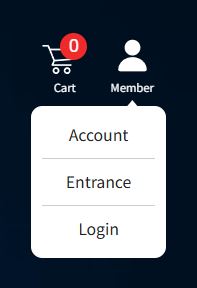
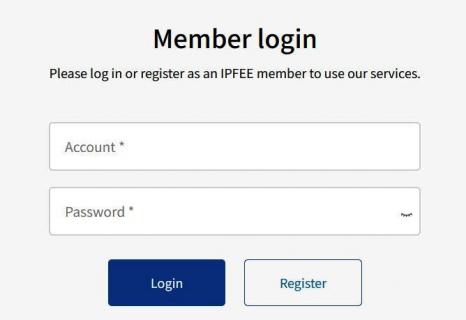
★ Log in to your IPFEE member account and click Patent Portfolio from the main menu.
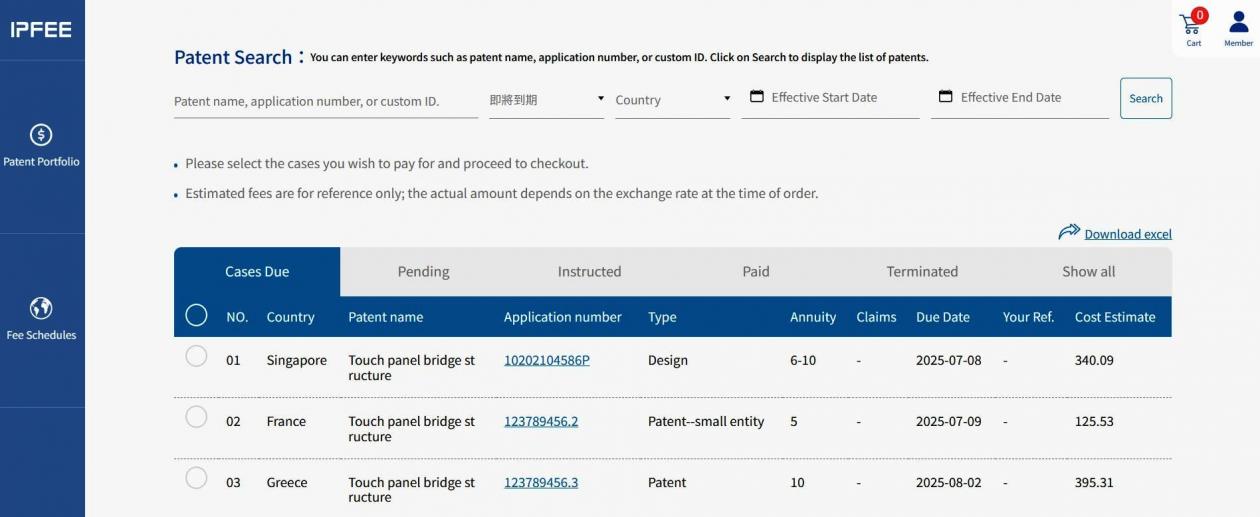
2. Cases Due:
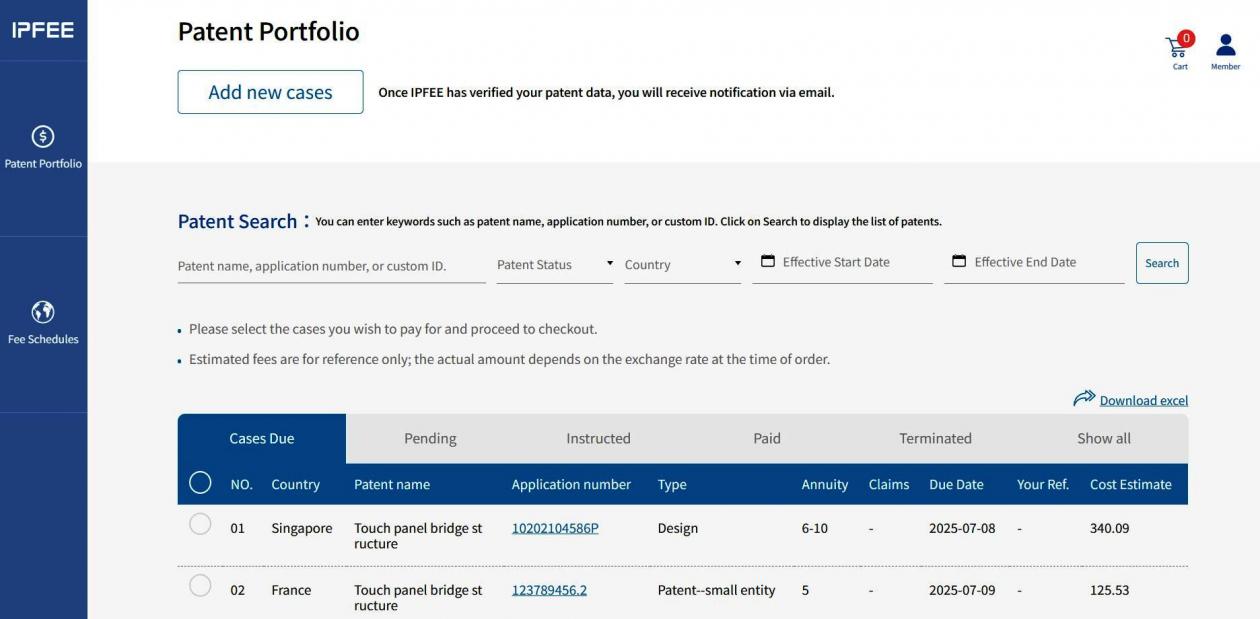
★ This tab displays Patent cases with an upcoming statutory annuity due date.
★ 90 days before the the Official Due Date, IPFEE will automatically send an Expiration Notice to your designated email address as a reminder.
★ To proceed with payment, select the ○ icon next to the case.
After selection, click the Shopping Cart icon in the upper-right corner to continue with the payment process.
★ Please complete the entrustment and payment no later than 31 days before the Official Due Date.
3. Pending:
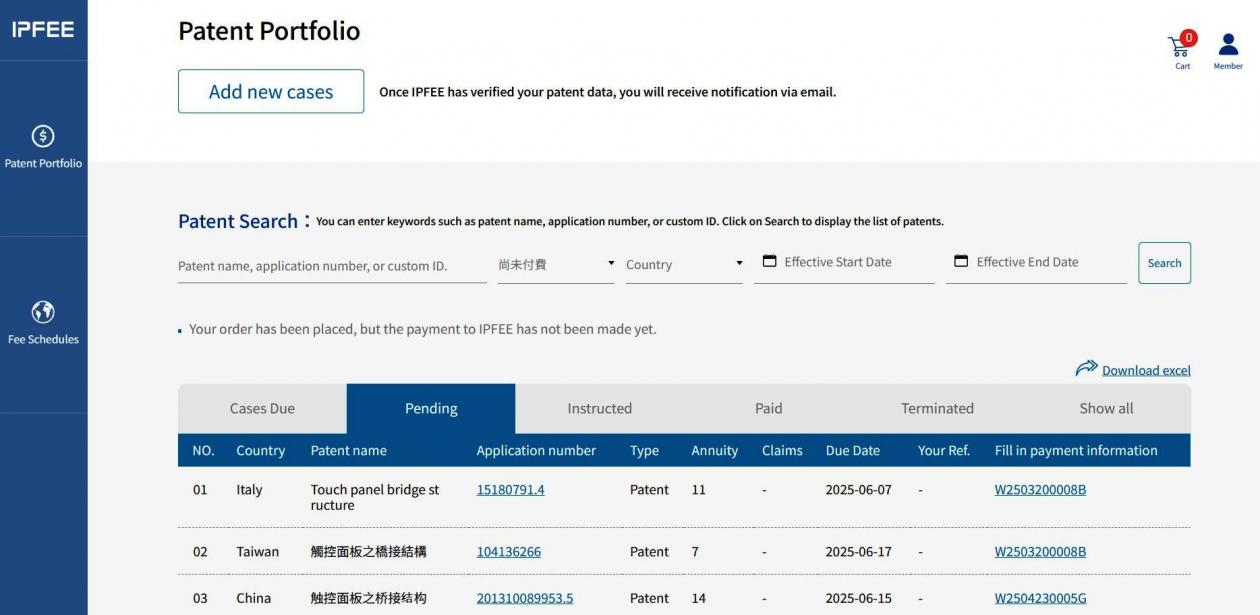
★ This tab displays Patent cases for which you have submitted payment instructions, but payment has not yet been received by IPFEE.
★If you have already completed payment, please email the payment confirmation and proof of transfer to contact@ipfee.com.tw for verification.
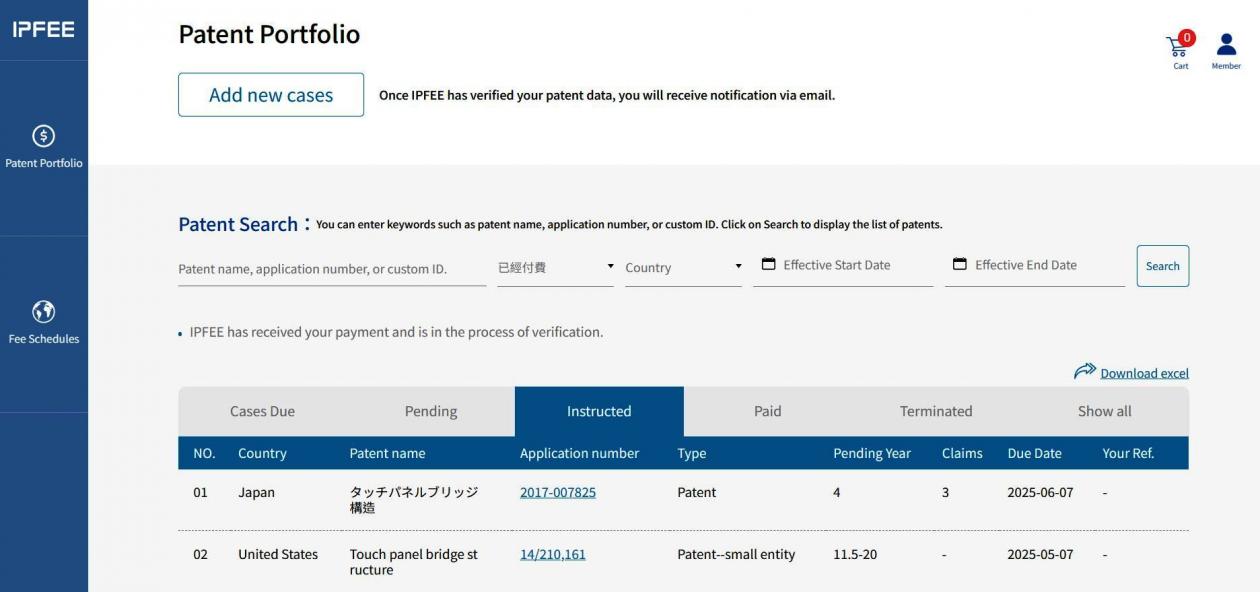
4. Instructed:
★ This tab displays Patent cases for which payment instructions have been submitted and payment has been received by IPFEE, and the case is under verification or processing.
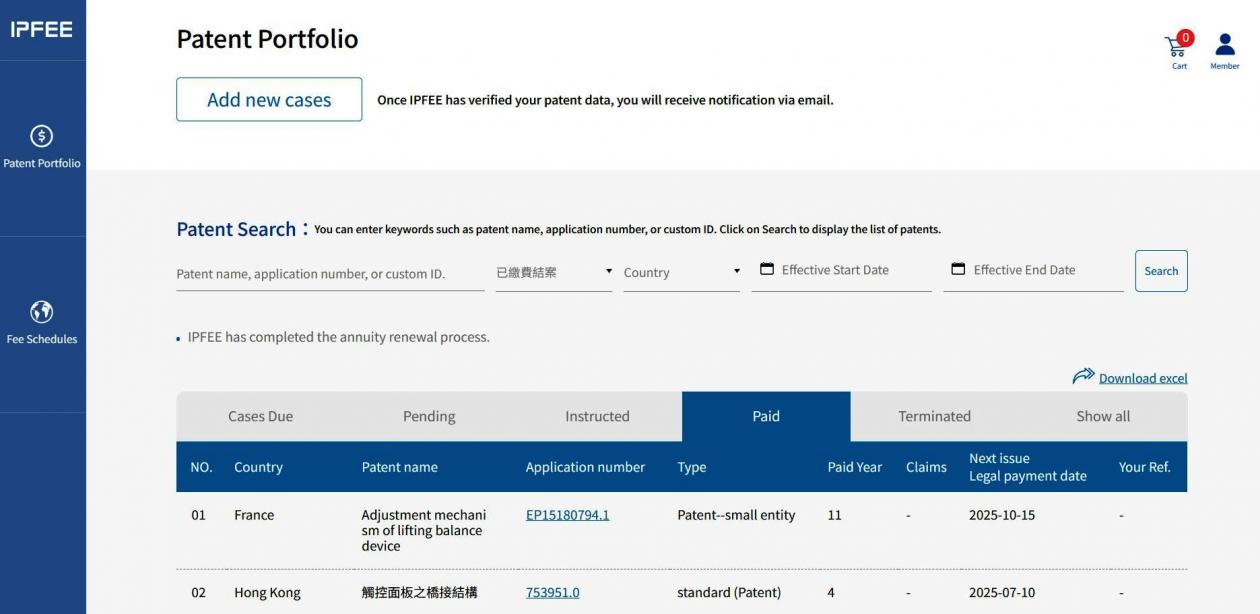
5. Paid:
★ This tab displays Patent cases for which IPFEE has completed payment to the designated national patent authority; as well as cases that have been pre-filed and finalized.
6. Terminated:
★ This tab shows PATENT cases for which annuity payment handling has been terminated.
★ The reason for termination can be found in the Remarks column. Common reasons include:
→ The case was not instructed within 31 days before the Official Due Date
→ Payment was not completed within the payment period specified in the invoice
→ The Patent term has expired
→ Submitted PATENT information was incorrect or incomplete
→ Other administrative or legal factors
.JPG/%E6%9C%9F%E9%99%905(1)__1100x432.JPG)
7. Show All:
★ This tab displays all PATENT cases that are currently maintained on IPFEE, regardless of status.
.JPG/%E6%9C%9F%E9%99%906(1)__1100x500.JPG)
8. Case Search:
★ This function allows you to quickly search for Patent cases in IPFEE.
You may search by: Patent name, Patent application number or Custom reference number
.JPG/%E6%9C%9F%E9%99%907(1)__1100x337.JPG)
9. Estimated annual fee:
★ Estimated annuity fees are displayed in the Cases Due tab. You may export the data to Excel for internal review or reporting.
(Please note : Fee amounts shown are estimates based on the exchange rate on the query date. The actual payable amount is determined by the exchange rate applicable on the order date.)
 Back to Q&A