


Annuity Instructions
-
★ The earliest period to instruct IPFEE to process an annuity payment is 90 to 31 days before the Official Due Date.
★ For cases that are more than 90 days before the Official Due Date, you may pre-file the case in the system for future maintenance purposes.
★ If a case is less than 31 days before the Official Due Date, online instruction will be unavailable. Please Contact IPFEE for assistance.
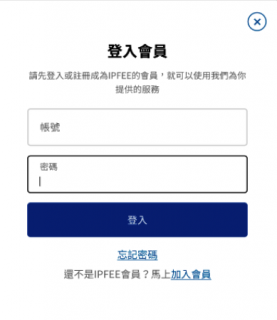
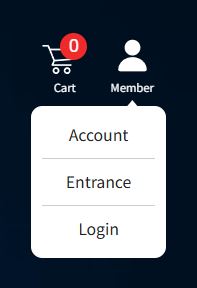
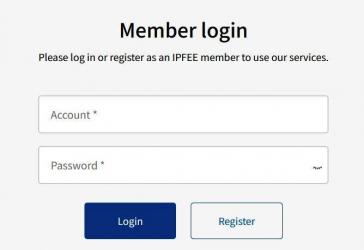
1. Log In as a Member:
2. Select the Case to Be Paid:
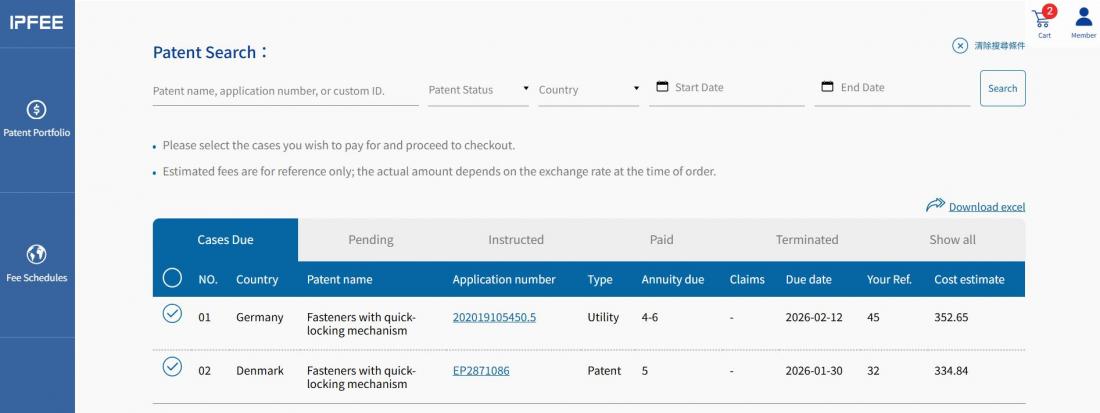
★ Go to Patent Portfolio and select the Cases Due tab.
★ Review the list to confirm whether the patent approaching its due date should be maintained.
★ To proceed with payment, select the ○ icon on the left of the case. The icon will change to ✓, and the case will be added to the Shopping Cart.
★ The Shopping Cart icon in the top-right corner will display the number of selected cases. Click Shopping Cart to proceed to checkout.
3. Review Payment iInformation and Select Payment Method:
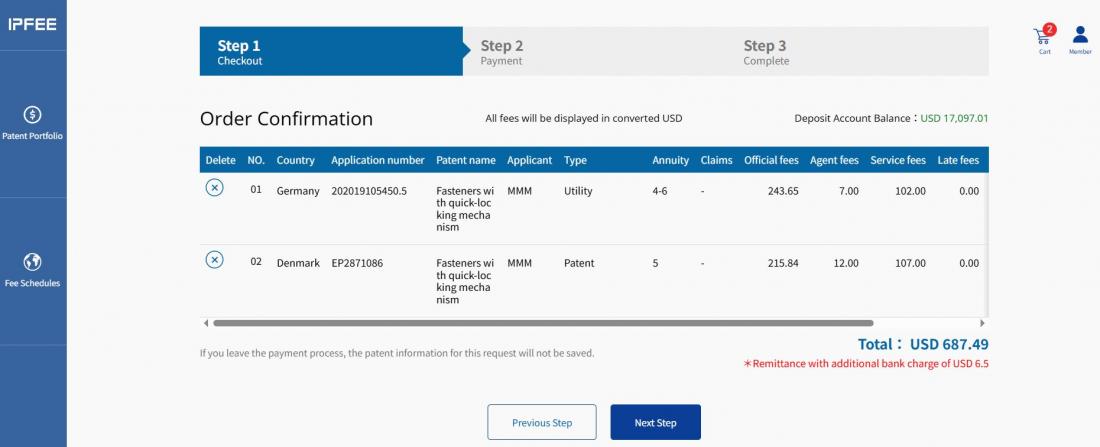
★ Step 1 – Review Case Information
→ Verify the accuracy of the patent information selected for maintenance.
→ If any information is incorrect, remove the case or click Previous Step to return to Cases Due and reselect.
→ Once verified, click Next Step to proceed to payment processing.
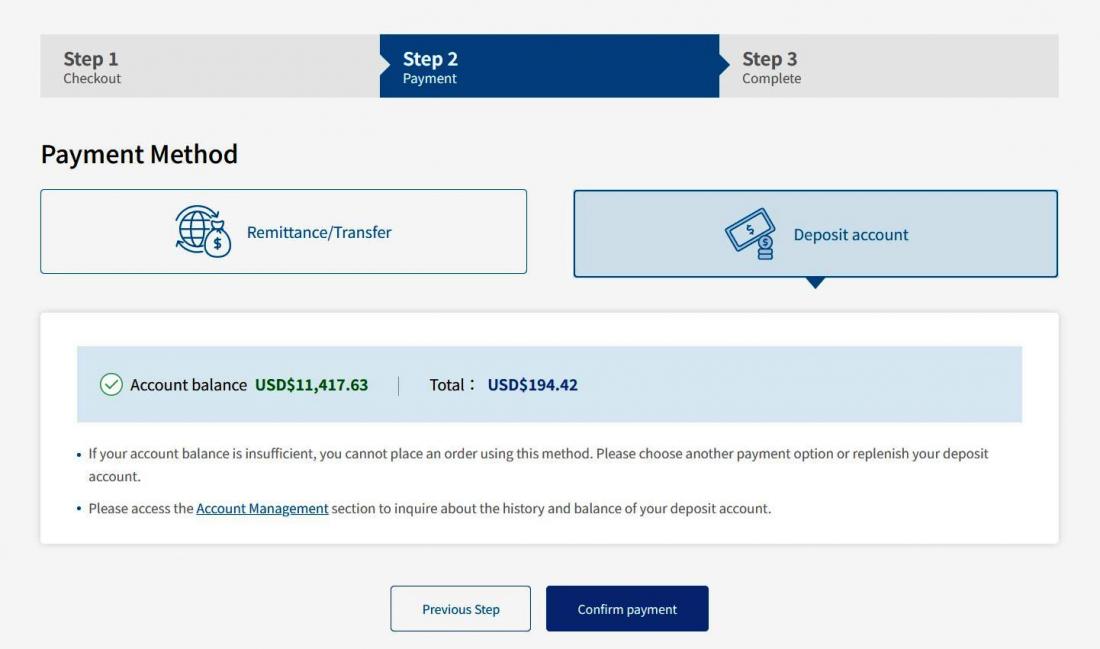
★ Step 2 – Select Payment Method
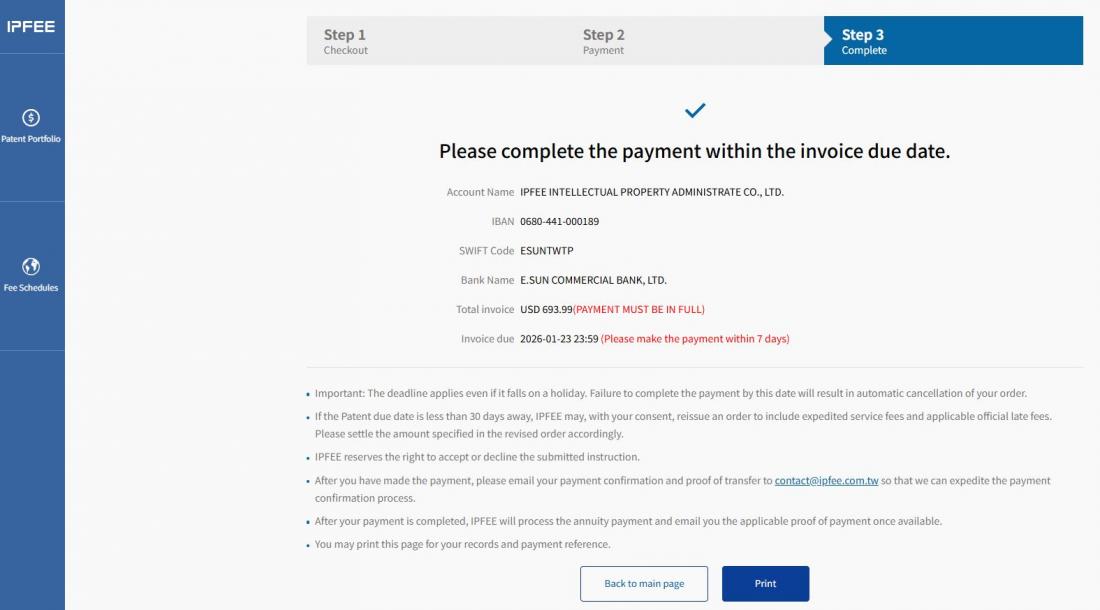
→ If you select Bank Remittance/Transfer, the payment details will be displayed.
If the amount and due date are correct, click Confirm Payment to submit the order and proceed to Step 3.
.JPG/%E7%B9%B3%E8%B2%BB3-1(2)__1099x589.JPG)
→ If you select Deposit Account Payment, your deposit account balance and payable amount will be displayed.
Click Confirm Payment to deduct the amount and proceed to Step 3.
4. Instruction Completed & Invoice/Receipt Printing:
★ Step 3 – Instruction Completed
→ If you select Bank Remittance/Transfer, IPFEE will automatically issue an Invoice to your registered email address.
Please complete payment by the deadline stated in the invoice and follow the instructions for submitting remittance confirmation.
You may also print the payment details from this page for your records.
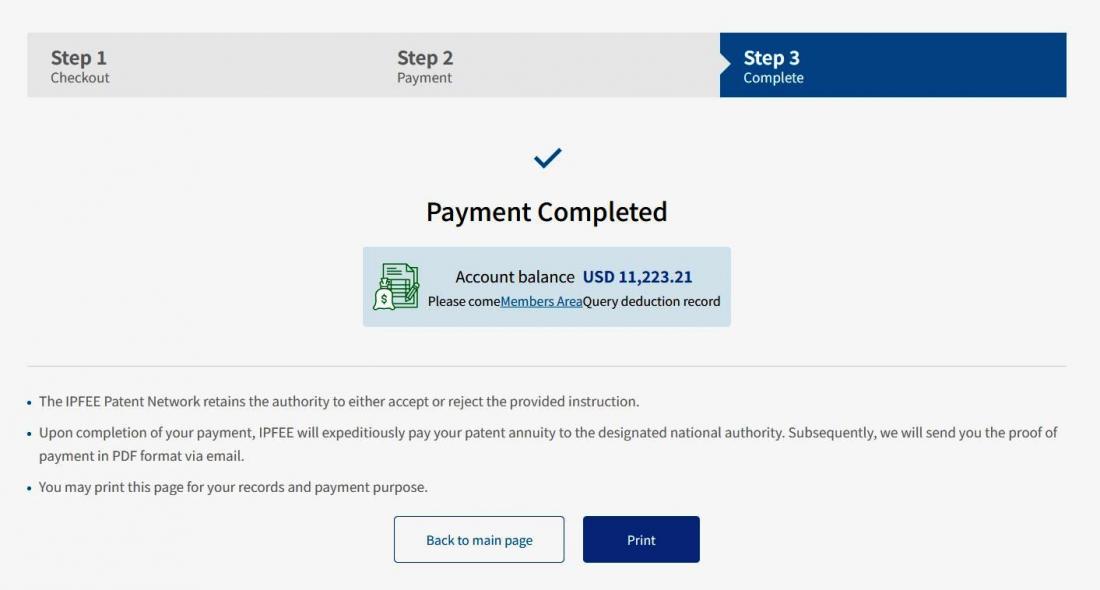
→ If you select Deposit Account Payment, The payment status will be shown as Payment Completed.
IPFEE will automatically issue a Receipt to your registered email address.
You may also print the receipt from this page.
5. Bulk Payments:
★ If you manage a large volume of patent cases and require batch processing, please click Contact IPFEE in the menu and submit your contact information. A dedicated project manager will be assigned to assist you.
 Back to Q&A