


Add New Patent Cases
- ★ For new or existing patent cases that are not yet under continuous maintenance by the IPFEE Patent Network, please create the case record in advance.
★ For a large number of cases, or for cases that cannot be completed online (i.e. less than 90 days before the statutory due date), please download the Excel file from the “Add New Cases” section in Patent Portfolio.
After completing the file, email it to contact@ipfee.com.tw to notify IPFEE of the submission.
★ If a patent case is already under continuous maintenance with IPFEE and is 90–31 days before the statutory due date, please go to Patent Portfolio → Cases Due to place the annuity payment instruction.
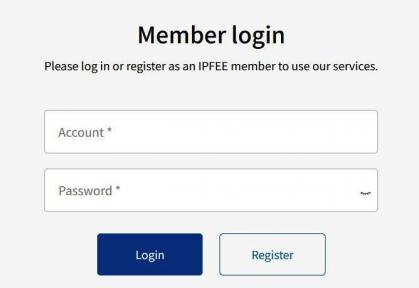
1. Log in as a member:

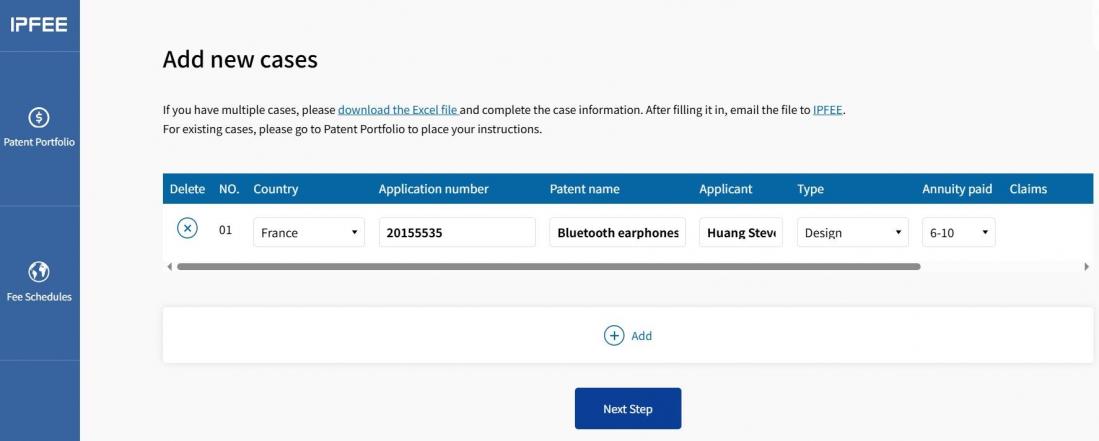
2. Enter patent case filing information:
★To create a case in advance, please go to Patent Portfolio → click Add New Cases.

★ Complete all required patent information accurately.
→ In Annuity Paid, enter the latest annuity year that has already been paid.
→ In Due Date, enter the next official payment due date.
★ Click Add to enter additional cases. After completing all entries, click Next Step.
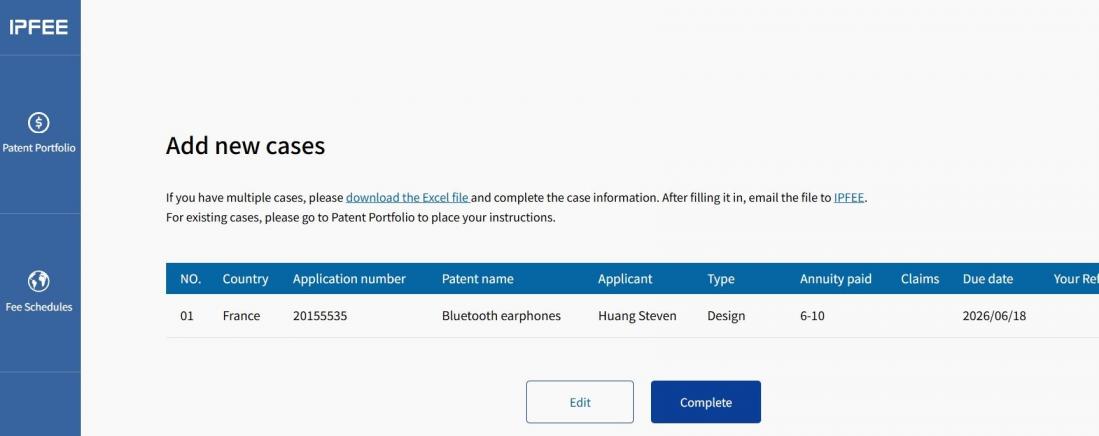
3. Check if the entered information is correct:
★ Review the entered patent information carefully. If corrections are needed, click Edit to return to the previous step.
★ If all information is correct, click Complete.
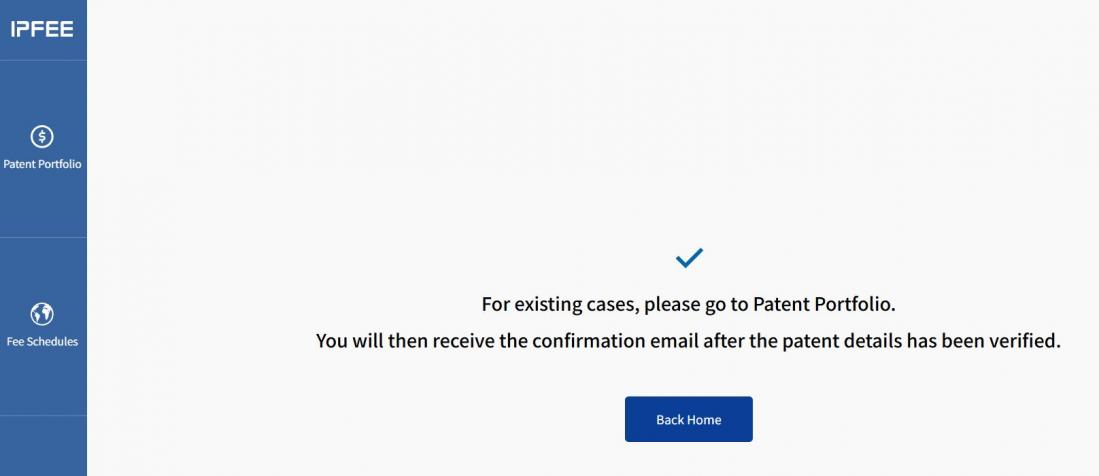
4. Online pre-filing completed:
★ This page confirms that pre-filing has been completed. The case can now be viewed under the Paid tab in Patent Portfolio.
★ IPFEE will verify the submitted patent information and filing completeness.
Once verified, a Case Registration Completed Notification Email will be sent to your registered email address.
★ Only after file creation is completed may the case be entrusted for annuity payment.
 Back to Q&A